Billable Hours Tracker
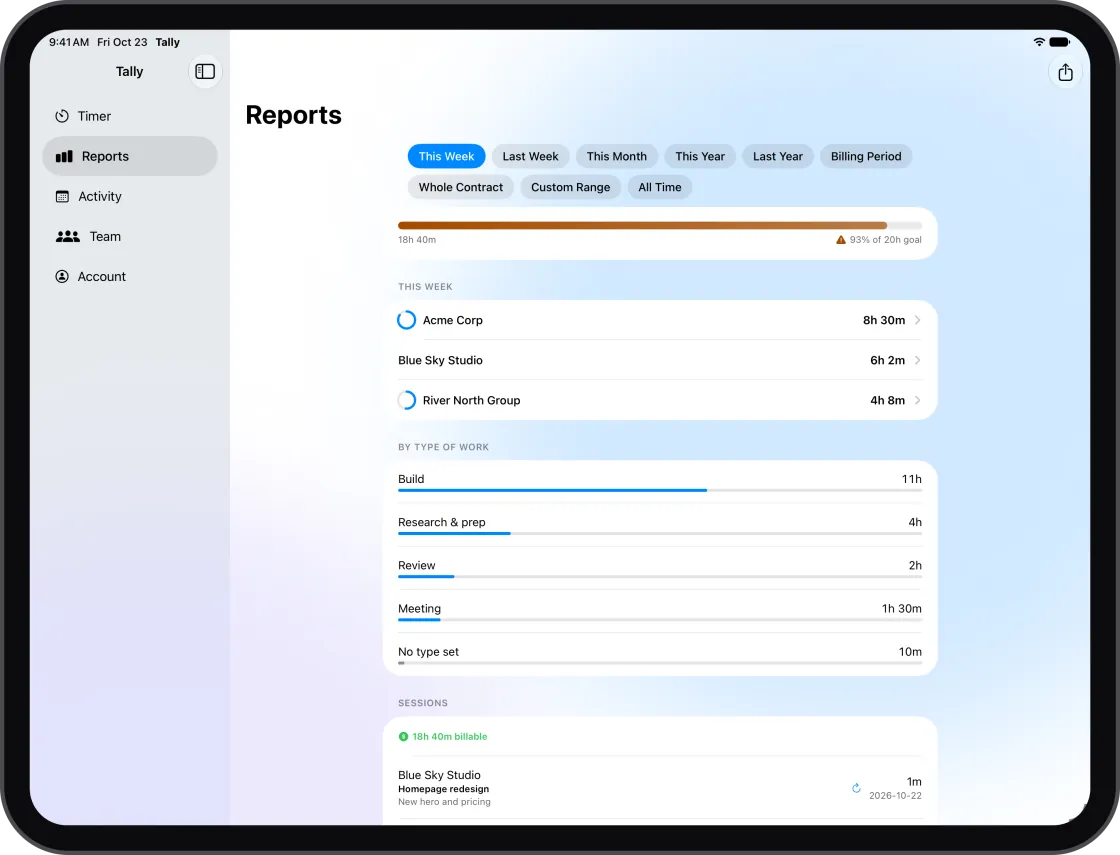
A billable hour only turns into money if it's written down, tied to the right client and still there when you send the invoice. Tally is a billable hours tracker that keeps all three in one place.
Start a timer when you start work, or add the hours afterwards. Either way the time lands on a client, at that client's rate, and your totals stay current on your phone, Mac and the web.
Every hour on a client, at the right rate
Add each client with an hourly rate. Pick the client, tap start, and stop when you're done. Missed the start? Enter the hours as a duration (1h 30m, 1:30 or 1.5) or as a start and end time, and split a long session between two clients if it covered both.
Tag a session with the type of work (build, research and prep, meeting, review or admin) so prep time shows up in your reports instead of disappearing.
See what you haven't billed yet
Each client on the Clients page shows the billable hours and amount not invoiced yet (since your last invoice for them, or in the current billing period), so nothing slips between invoices. On Premium, one click opens an invoice for those dates, with a Stripe payment link your client can pay online.
Catch the hours you didn't time
Most lost billable time is work you did but never logged. On Premium, Tally suggests sessions from your GitHub and GitLab commits, past client meetings in your calendar and your Figma saves, with one tap to add each one. It never watches your screen.
Hours your client can check
Send a private report link: a live page of your hours for that client by day and ticket. Each entry says how it was recorded (timer, typed in, or a timer whose times you edited), so your client can see the hours are real. No account needed on their side.
Stay inside the budget
Set a budget on a client in hours or money and Tally emails you at 80% and 100%. If a contract promises a set number of hours a week, Tally tracks it, carries short weeks forward as makeup hours and counts your time off.
Start tracking in under a minute
Free plan with no time limit. No credit card required.
Sign up free →Common questions
- What counts as a billable hour?
- Any time you can charge a client for under your agreement: the work itself, and often calls, research and revisions too. Your contract decides. Tally keeps each session on a client at that client's rate, so the total is ready when you invoice.
- Can I add billable hours after the fact?
- Yes. Add a session with a duration or a start and end time on any day, and edit or split it later on the Sessions page.
- How do I show a client my hours?
- Send a client report link. It opens a live page of your hours by day and ticket in any browser, with optional notes, amounts and contract progress, and you can turn it off at any time.
- Is it free?
- Yes. The free plan has no time limit and no credit card: up to 5 clients with rates, the last 7 days of history and client report links. Premium ($4.99 a month or $39.99 a year) adds unlimited clients, full history, invoices and suggestions for untracked work.